High-Velocity
Smart IT Ticketing With Zero Clutter.
Empower end-users to file issues in seconds with direct screen video bug uploads. Enable engineers to triage incidents immediately with instant browser audio chimes and automated SLA escalation.
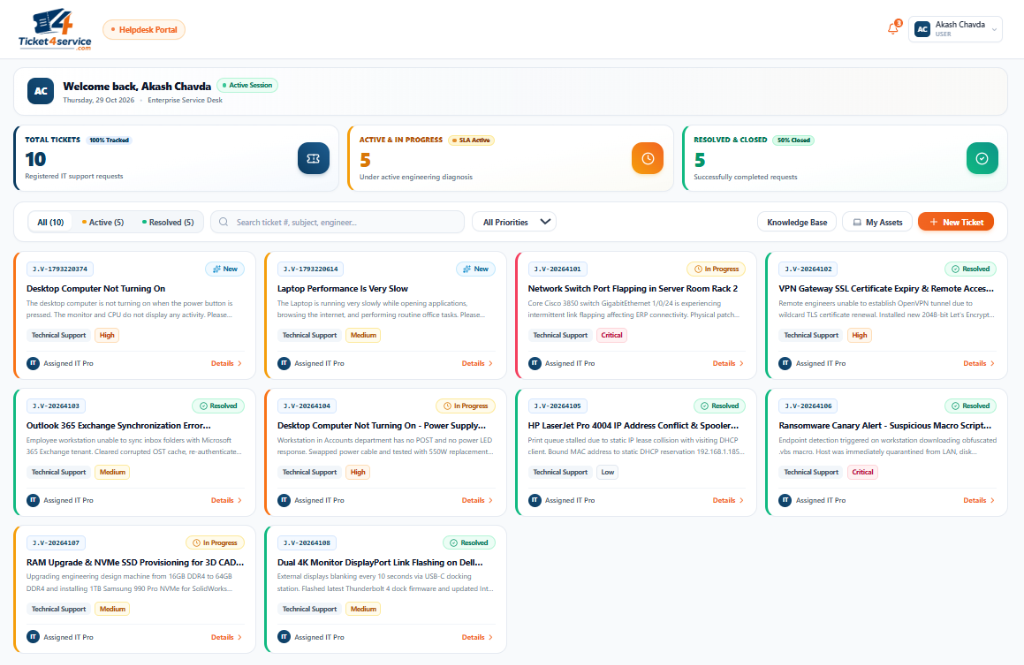
Why Ticket4Service Resolves Issues 68% Faster
Eliminating the clunky 10-click menus of legacy tools and replacing them with high-velocity automation.
Double-Chime Audio Chimes
Support staff are notified through an instant browser sound the exact second a ticket is submitted, ensuring immediate attention.
Screen Video Bug Uploads
Users can attach short MP4/WebM screen recordings directly into the ticket form, clarifying intermittent bugs without typing paragraphs.
Hardware Asset Linking
Every ticket can link directly to a computer or printer, giving engineers immediate visibility into machine specifications and previous repairs.
End-to-End Visibility: From Active Diagnosis to SLA Resolution
Experience crystal-clear ticket lifecycle tracking. Monitor in-progress engineering work with priority borders, then review closed tickets with documented fix logs.
Active & In-Progress Queue
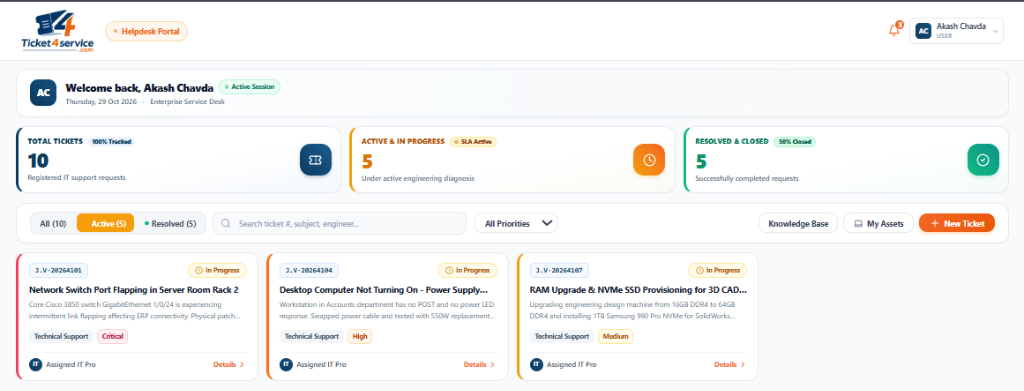
Support engineers quickly triage high and critical tickets with color-coded left-accent borders, device associations, and direct user assignments.
Resolved & Closed Archive
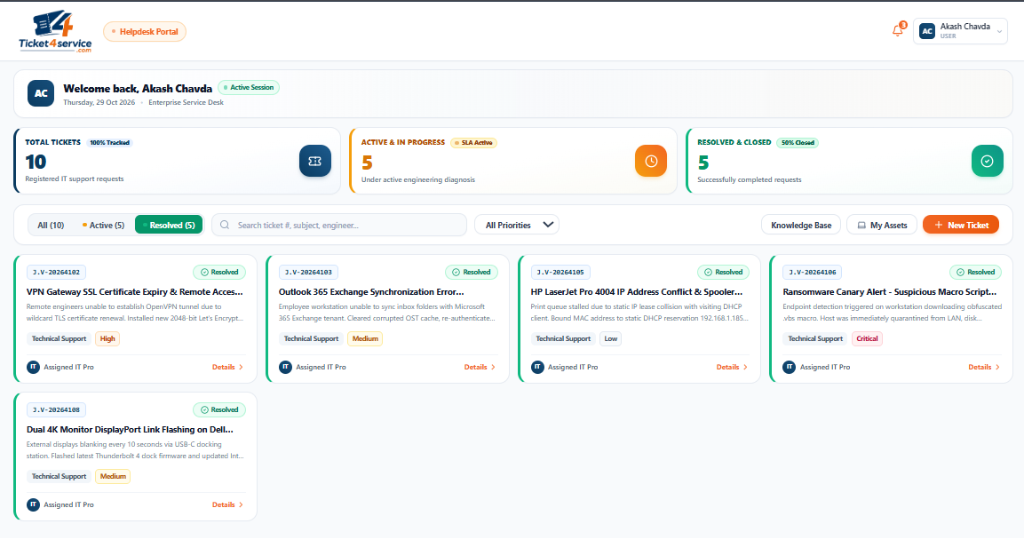
Complete audit trail with timestamps, resolution summaries, and verified fix steps for compliance and customer satisfaction reporting.
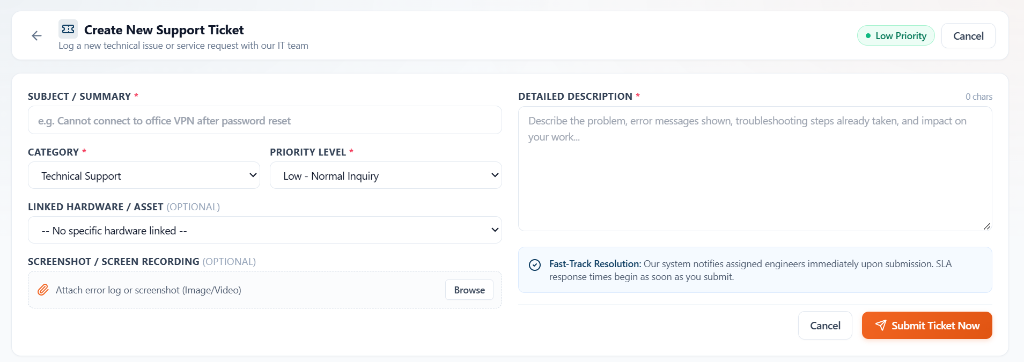
Log Tickets in Under 30 Seconds with Video Bug Captures
Eliminate back-and-forth email chains. Users categorize their problem, select their assigned computer or printer, attach screen recordings or error logs, and get immediate SLA confirmation.
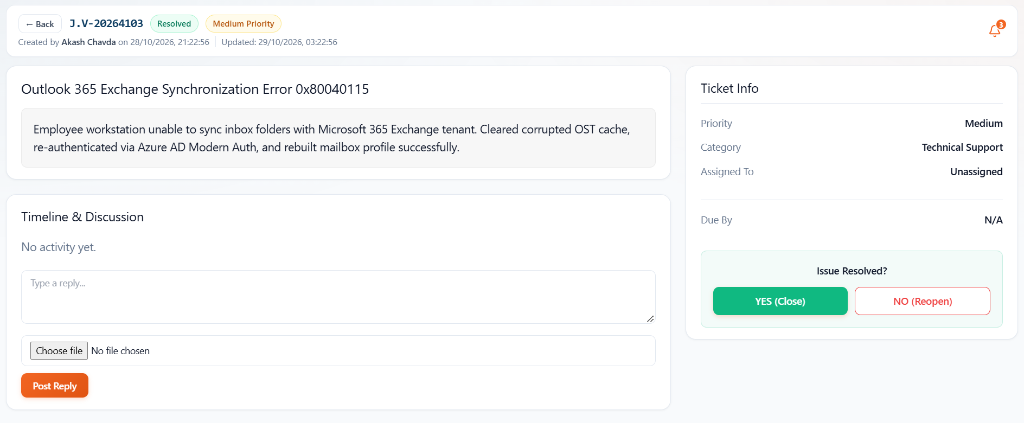
Transparent Discussion Timeline & One-Click Customer Sign-Off
Support engineers and employees converse in an integrated timeline. When work is completed, end-users confirm resolution with a single click or reopen if problems persist.
Upgrade Your IT Helpdesk Today
Start your 14-day free trial on our Growth Plan with full features unlocked.